How Do I Manage My CD Online?
You can decide what happens to your CD when it matures in your digital banking account. Here’s how to manage your CD:
1. Log into your digital banking account on a computer or your mobile device
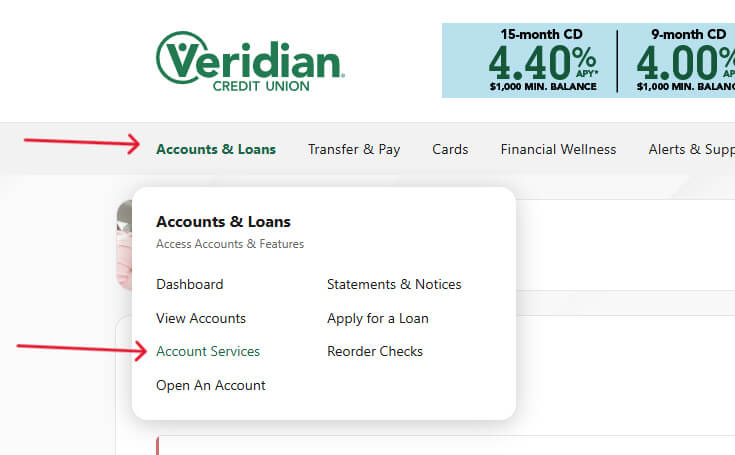
2. Navigate to Accounts and Loans and select Account Services
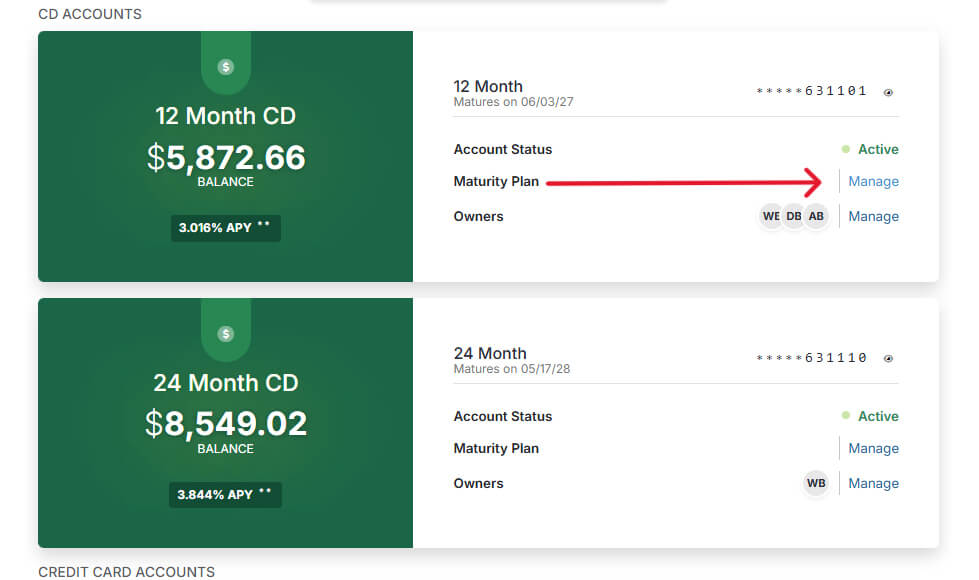
3. Find the account you want to self-serve. Next to Maturity Plan, select Manage.
4. Choose the option that works best for you.
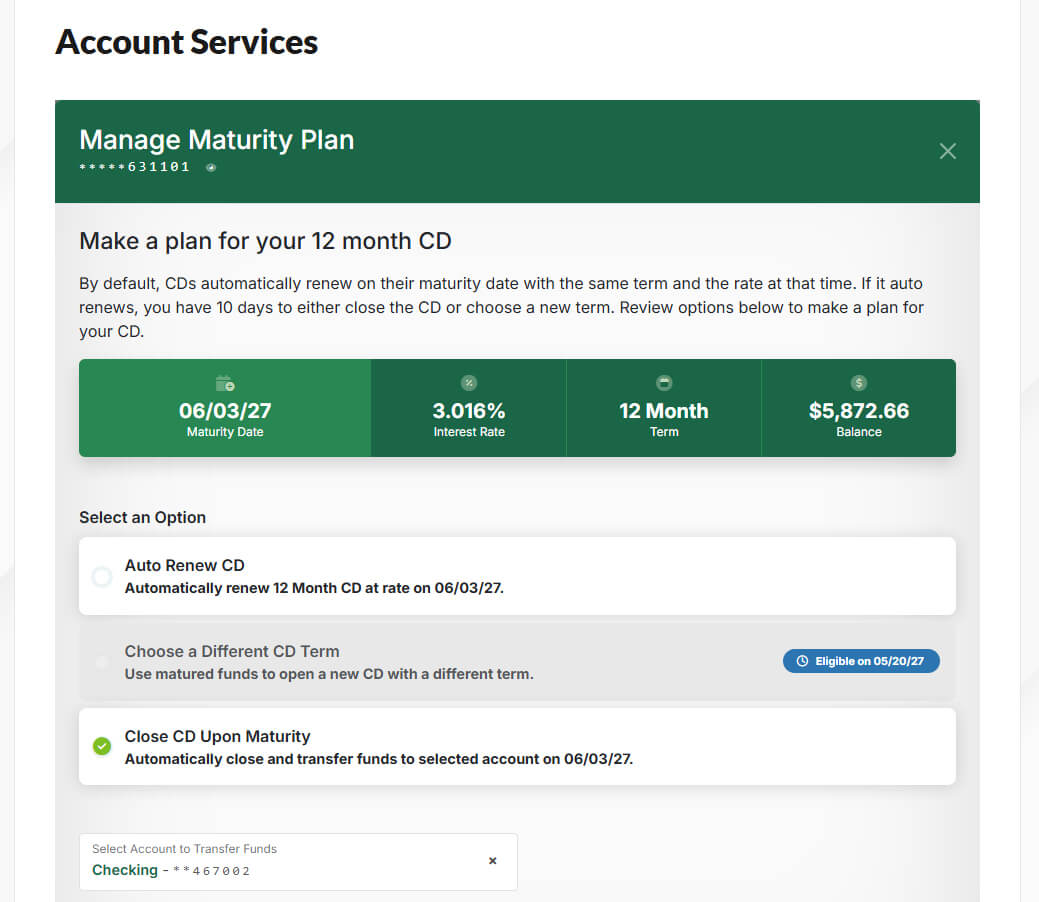
You can set your maturity plan at any time.